Created with care
Built with attention to detail, from the charm designs to the way they move on your desktop.
 BK FLOATYDANGLES
Floating charms for your Windows desktop. A small detail that makes your everyday screen feel a little more like yours.
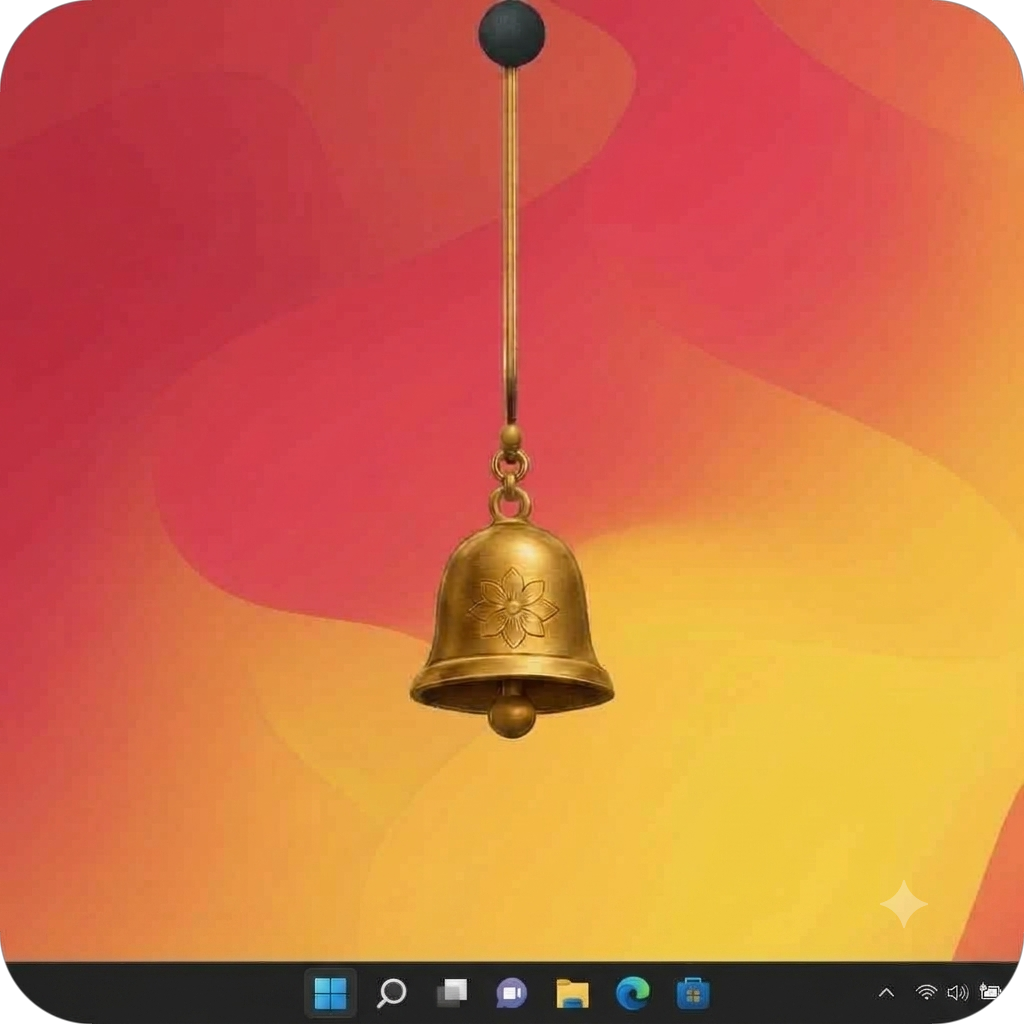
Every little detail of BK FLOATYDANGLES is designed to bring joy to your Windows desktop through a simple, thoughtful and enjoyable experience.
Built with attention to detail, from the charm designs to the way they move on your desktop.
Enjoy a little desktop personality without making your everyday experience complicated.
No account needed for the core experience. Just install, explore the charms and enjoy your desktop.
A desktop companion designed around playful details, simple controls, and movement that adds character without taking over your screen.
Explore the available designs and switch to a favourite whenever you feel like a change.
Drag and position your charm, then enjoy its hanging and swinging movement.
A lightweight Windows app focused on a small, cheerful addition to your desktop.
Enjoy the currently available desktop application without a purchase or subscription.
Download and use the currently offered BK FLOATYDANGLES desktop application without paying for a licence or subscription.
The core desktop experience does not require you to create a BK FLOATYDANGLES account.
Download BK FLOATYDANGLES version 1.0.0 directly from its official GitHub installer link. Completely free to download and use.
Have a question before you install? Start here, or visit the official release page for version details.
Open release page ↗It is a Windows desktop application that lets you interact with floating charm designs featuring hanging and swinging movement.
Yes! The currently offered desktop application is completely free to download and use. There is no paid subscription or purchase required.
Click any Download button to download the Windows installer directly. You can also visit the official GitHub release page and check its Assets section.
Download the installer, open it, and follow the installation steps. Review any Windows security warnings carefully before continuing.
The installer is not digitally signed. A warning is not proof that a file is malicious, nor proof that it is safe. Review the source and warning before deciding whether to continue.
An account is not required for the core desktop experience. Read our Privacy Policy for information about the app and website's privacy practices.
Visit our Feedback page to send suggestions or report problems. Providing an email address is optional. Feedback is stored to help improve the project.
Our Privacy Policy explains the information handling practices of the desktop application and website, including feedback and third-party services.
You can use the website Feedback page or visit the official GitHub repository for available issue and project information.